Radiant Optimizer Free vs Paid: Price & License Scope
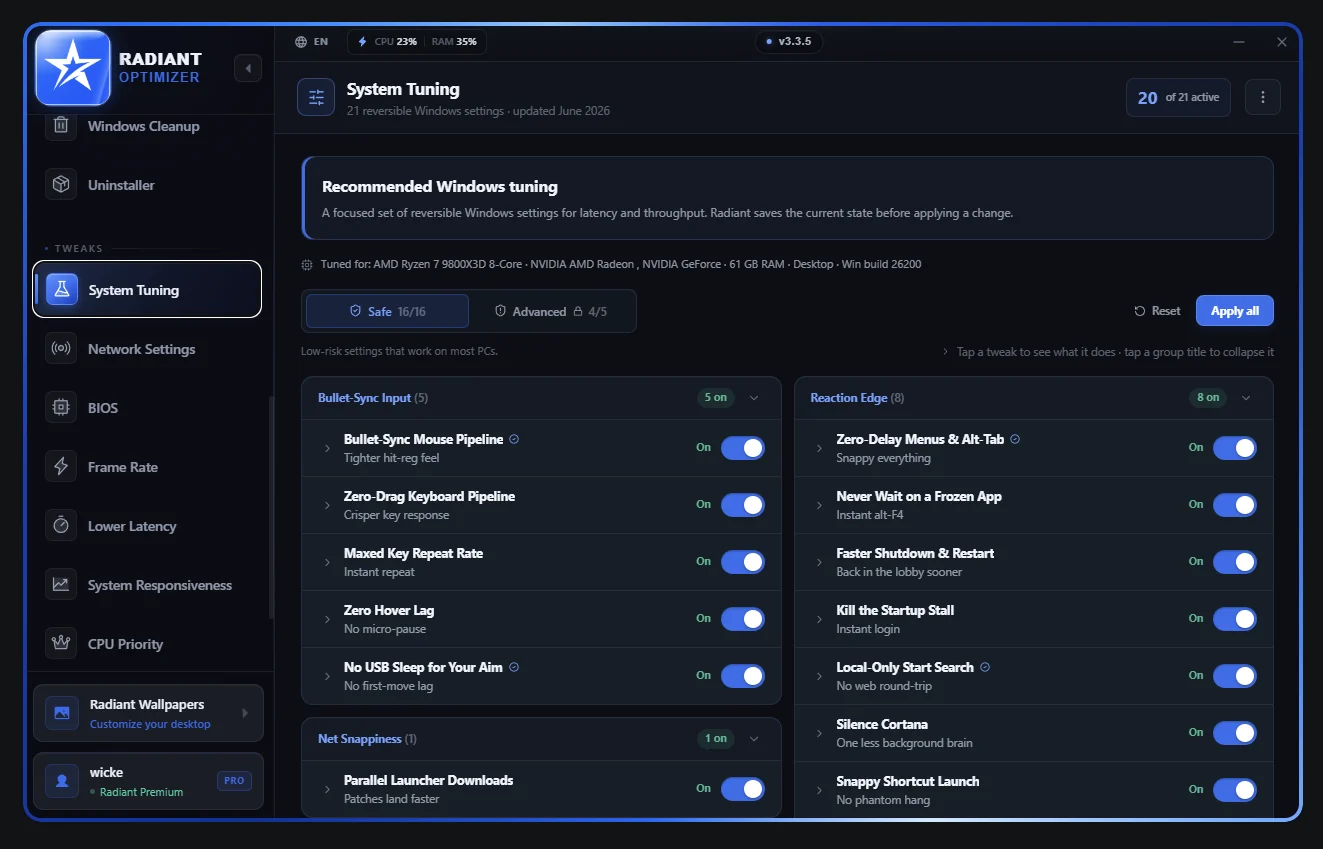
Radiant Optimizer offers a free edition with access to its pages and a subset of optimizations, plus a paid license advertised at $57 once. Start with the free edition to inspect the controls; do not assume every switch is unlocked.
What the two editions offer
| Question | Free edition | Paid license |
|---|---|---|
| Can you view the interface? | All pages can be browsed | Product access on the licensed PC |
| Can you apply settings? | A subset of optimizations | Expanded access; check a particular control in the app |
| Account or card to try? | No account or card required | Purchase and activation are involved |
| Trial timer? | No timed trial | One-time payment, rather than a recurring subscription |
| Advertised price | $0 | $57 one time |
A complete control-by-control entitlement list is not available here. If a specific game profile or setting is the reason you would pay, locate it in the free application and ask support what the license unlocks before checkout.
When the free edition is enough
The free edition is useful for learning the menu structure, finding which feature areas apply to your machine, and seeing how the publisher explains individual settings. Browsing a page and applying every option on that page are different forms of access.
The feature overview groups the interface by task. A screenshot carrying a Premium badge or enabled toggles is an interface example, not a promise about the free edition. Avoid changing several categories at once merely to see a larger before-and-after result.
Understand the lifetime wording
The paid offer includes future updates to the product. Lifetime refers to the product’s commercial lifecycle, rather than unlimited support forever or ownership of every future successor product. A major successor may have separate pricing.
A license is tied to one PC. This matters if you plan to replace a motherboard or move to a second computer. License and support explains why transfer help and a guaranteed transferable license are different things.
Payment and refund decision
Treat a delivered digital license as a final purchase. Duplicate charges, payment problems and technical issues that support cannot resolve can be brought to the publisher for case-by-case review. That review is not an unconditional refund period.
- Try the interface before purchase instead of expecting a timed refund window.
- Ask about the exact feature that matters to you, rather than paying on the assumption of a guaranteed FPS gain.
- Keep a receipt and ask about motherboard changes before a planned upgrade.
- Use the download route to stay with the publisher’s distribution.
The optimizer’s performance illustrations do not predict your own FPS. Compare your own measurements with the FPS tool when you have comparable test runs.
Related
- Radiant Optimizer Download: Windows & Release DetailsGet Radiant Optimizer through its official website, which points to the v3.3.8 release on …
- Radiant Optimizer Features: A Tour of the Windows UIRadiant Optimizer groups Windows tuning into areas such as Frame Rate, Lower Latency, Netw…
- Radiant Optimizer License, Hardware Changes & SupportPlan on one Radiant Optimizer license for one PC. For a motherboard replacement, contact t…