Radiant Optimizer
An independent guide to the Windows optimizer. Find the download, explore the interface and understand the license before changing your PC.
Choose what you need to know
Download decisions, feature areas and purchase questions.
- DownloadWindows release, package name and the publisher’s download route.
- Understand the interfaceFrame rate, latency, network and system controls, pictured by task.
- Free vs paidTry access, the one-time offer, and questions to ask before checkout.
- License & supportOne-PC activation, motherboard changes and payment questions.
What does Radiant Optimizer do?
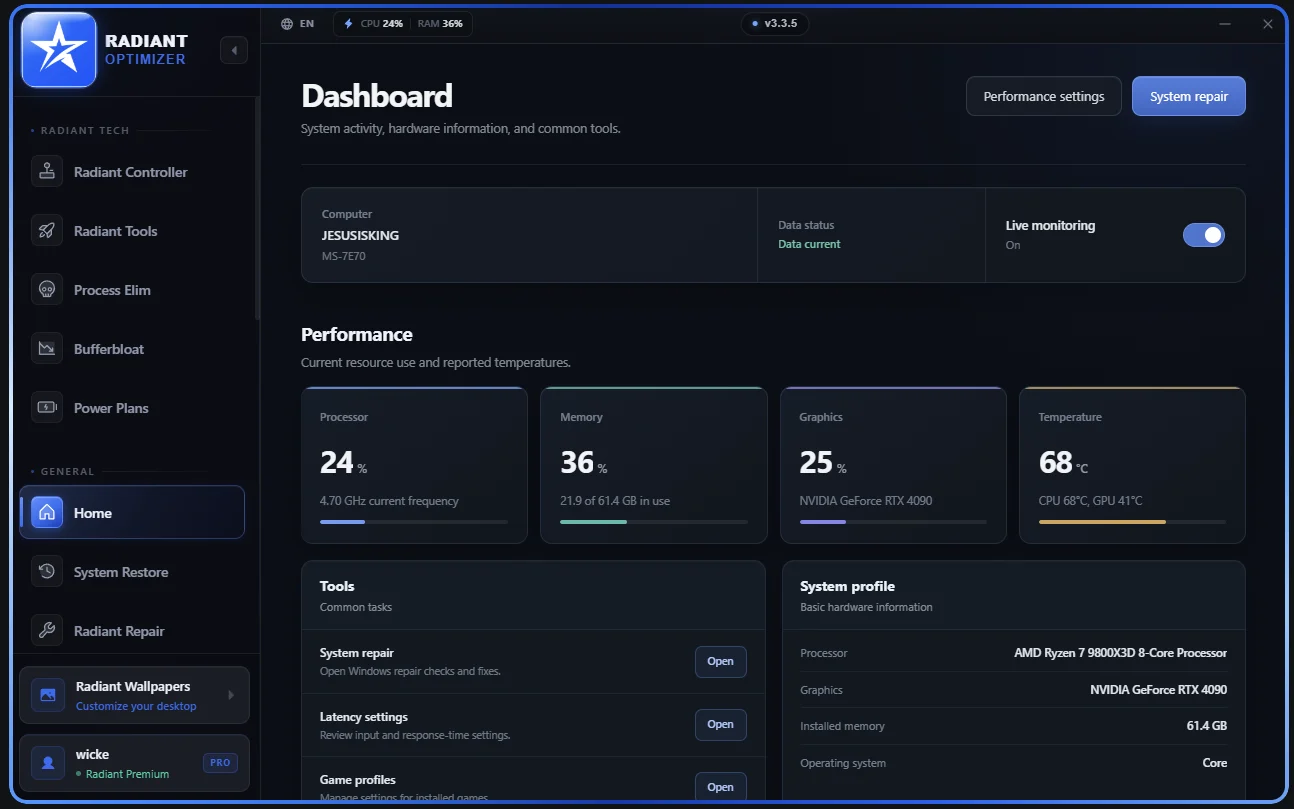
Radiant Optimizer groups Windows settings, hardware information and performance-related controls into a desktop application. Its tuning areas separate frame rate, latency, network behavior, system responsiveness and CPU scheduling.
The free edition lets you browse all pages and apply a subset of optimizations. The paid offer is $57 once, licensed to one PC. A particular switch, game profile or hardware change can affect the decision, so ask about the feature you need before buying.
Performance varies with hardware, games and the conditions of a test. Marketing illustrations do not predict your own FPS, and local tuning does not change server-side hit registration.
- Platform
- Windows 10 and 11
- Linked release
- v3.3.8
- Interface images
- v3.3.5
- Purchase model
- One-time license
Compare your own measurements
Enter two comparable captures to calculate average FPS, 1% low FPS and average frame-time changes. The tool starts empty, accepts your numbers and saves a comparison in your browser. It does not install anything or benchmark hardware.
Compare before and afterRelease packages and interface versions
The linked package is v3.3.8; the supplied interface pictures show v3.3.5. An update announcement is different from a downloadable release.
Versions & releases