Radiant Optimizer Download: Windows & Release Details
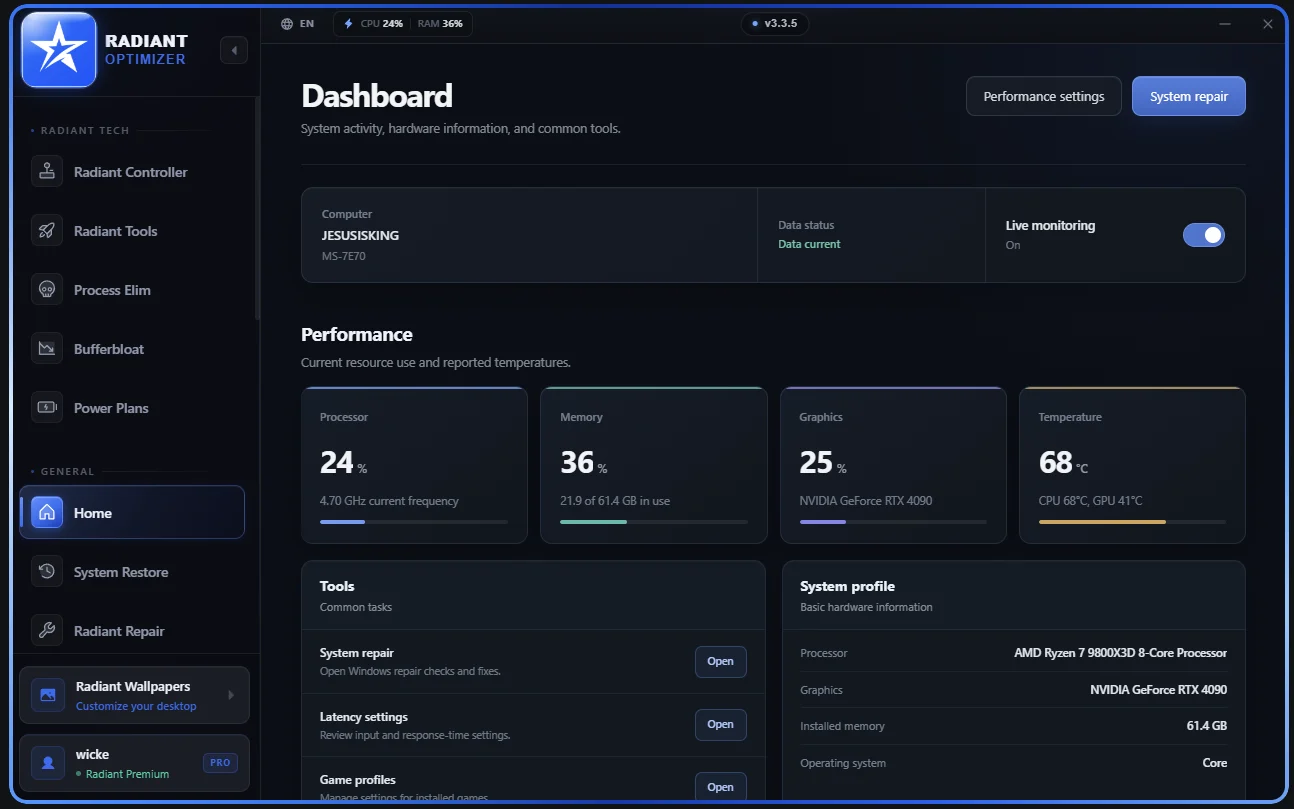
Get Radiant Optimizer through its official website, which points to the v3.3.8 release on GitHub. The software is intended for Windows 10 and 11. This guide links out to the release; it does not host the installer.
Choose the correct download
Use the official download page to start with the publisher’s own entry point. For the release covered here, open the v3.3.8 release package. The repository owner is spelled RadiantOptimzier, with the letters in that exact order. A similar-looking repository name is not a reason to trust a different installer.
The release asset is RadiantOptimizer_Setup_v3.3.8.exe. It is a Windows executable, rather than a web application, browser extension or mobile app. You do not need to run an installer simply to read this site or use the manual comparison tool.
Package details
| Item | What to look for |
|---|---|
| Release | v3.3.8 |
| Installer | RadiantOptimizer_Setup_v3.3.8.exe |
| File size | 121047105 bytes |
| Platform | Windows 10 and 11 |
| Delivery | External GitHub release, linked by the publisher |
GitHub provides a SHA-256 digest alongside the asset. A checksum comparison answers whether a local file matches that published asset. It does not establish that the software is safe, compatible with an anti-cheat system or useful for your hardware.
Published SHA-256 digest
4ae3da96000243b7a12730f0ab967e786ec6fef81eb502618cb6535c05f37035Before opening an installer
- Keep a backup of anything you cannot afford to lose before making system changes.
- Read the publisher’s prompts and the Windows security dialogs. Do not disable protections just because an installation guide tells you to.
- Check free and paid access before paying; the free edition is a way to inspect the interface first.
- Save your order information if you purchase a license. Activation and hardware changes belong with publisher support.
This page does not provide a tested installation sequence or a bypass for a blocked download. If Windows presents a warning or installation fails, preserve the exact message and ask the publisher for guidance.
Version versus screenshots
The images on this site show v3.3.5, while the linked installer is v3.3.8. Menus, button labels and available controls may differ. Use versions and releases for that distinction, and interface areas to understand the categories without treating a picture as instructions.